HEY Windows XP Users! Your Computer Has A Secret Song In It!
Posted: Wed Aug 05, 2009 6:45 pm
Here is how you can find the secret Windows XP song in your computer.
First slick on [Start] on the lower left hand corner.
Then click on "My Computer" then click on the hard drive icon.
Then click on the folder named WINDOWS
Then click on the folder named system32
Then click on the folder named oobe
Then click on the folder named images
Then scroll down to an icon named Title
Anyway, the path is C:\WINDOWS\system32\oobe\images - then scroll down and click on title.
That is your secret Windows XP song, a really beautiful composition worth hearing.
You can open it with Real Player. It is really cool!!!
There is also a secret movie in your computer, and here's how to find it.
First click on [Start] in the lower left hand corner.
Then click on Run...
Then type in telnet and click on [OK] then command prompt box should appear.
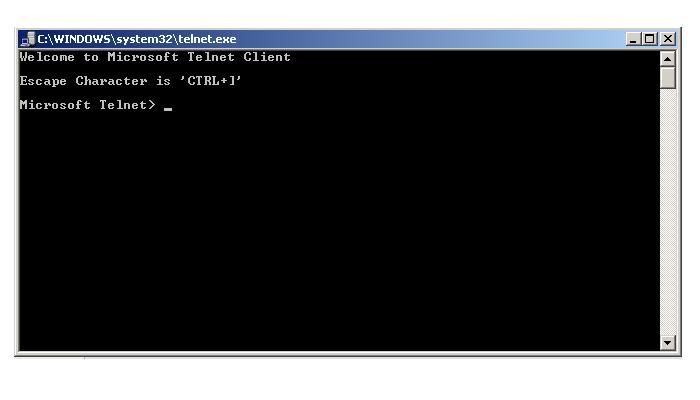
Now type a lower case o and press [Enter]
Then you should see ( to ) _
Now type towel.blinkenlights.nl and press [Enter] again.
This is what you should see as a result.
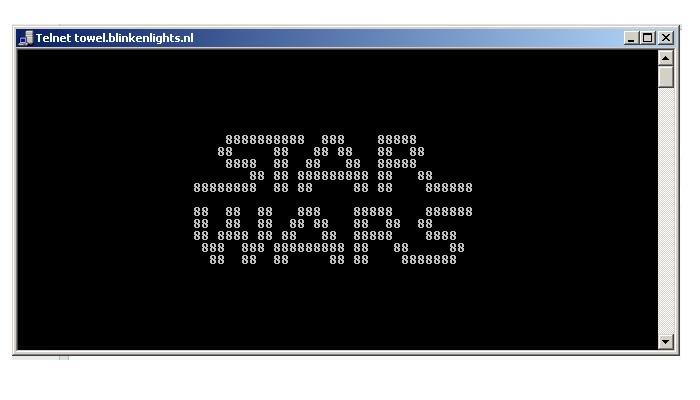
First you'll see only text, then the introduction, and then the title followed by a Star Wars cartoon made up of ASCII characters.
This is the secrete movie hidden in you computer!
Really cool! Eh?
First slick on [Start] on the lower left hand corner.
Then click on "My Computer" then click on the hard drive icon.
Then click on the folder named WINDOWS
Then click on the folder named system32
Then click on the folder named oobe
Then click on the folder named images
Then scroll down to an icon named Title
Anyway, the path is C:\WINDOWS\system32\oobe\images - then scroll down and click on title.
That is your secret Windows XP song, a really beautiful composition worth hearing.
You can open it with Real Player. It is really cool!!!
There is also a secret movie in your computer, and here's how to find it.
First click on [Start] in the lower left hand corner.
Then click on Run...
Then type in telnet and click on [OK] then command prompt box should appear.
Now type a lower case o and press [Enter]
Then you should see ( to ) _
Now type towel.blinkenlights.nl and press [Enter] again.
This is what you should see as a result.
First you'll see only text, then the introduction, and then the title followed by a Star Wars cartoon made up of ASCII characters.
This is the secrete movie hidden in you computer!
Really cool! Eh?
